
The "Invisible" Space Problem: How to Use Power Query to Clean Trash Data from Accounting Systems
Thành Thái
3/29/2026

Why "Find & Replace" Isn't Enough
Most users try to use Ctrl + H to replace spaces. However, accounting exports often contain Non-Breaking Spaces or Tab characters. Excel’s standard "Find & Replace" often fails to detect these, leaving your data "dirty" and your formulas broken.
The Power Query "Deep Clean" Workflow
Power Query is the ultimate laboratory tool for data transformation. It doesn't just "hide" the mess; it re-engineers the data.
Step 1: Import to the Lab
Select your data range.
Go to the Data tab and click From Table/Range.
The Power Query Editor will open.
Step 2: The "Trim" Command (The First Pass)
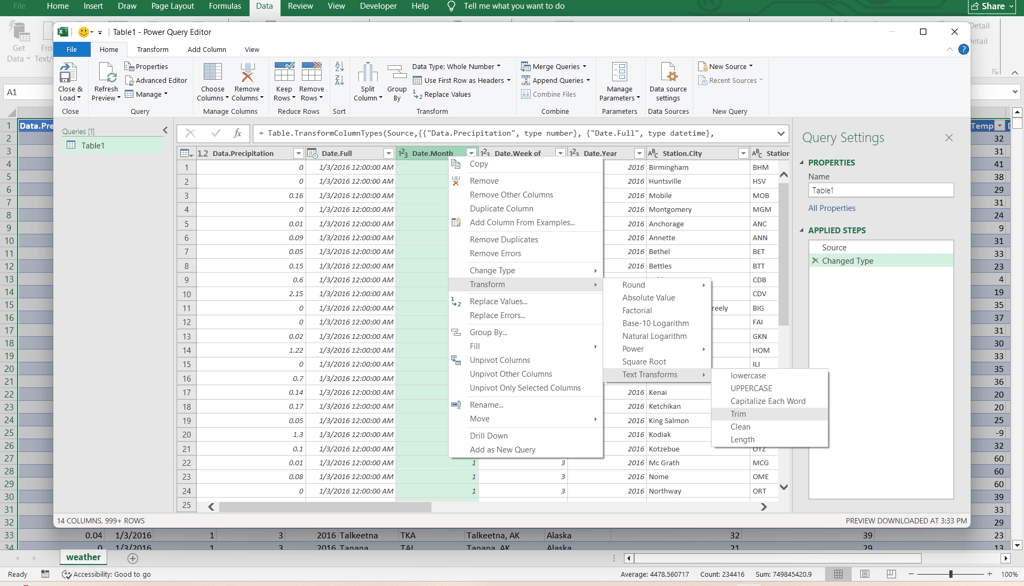
This is the most common fix. It removes spaces from the beginning and the end of every cell in a column.
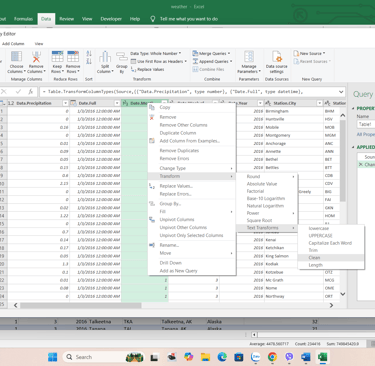
Right-click the column header.
Select Transform > Trim.
Step 3: The "Clean" Command (The Secret Weapon)
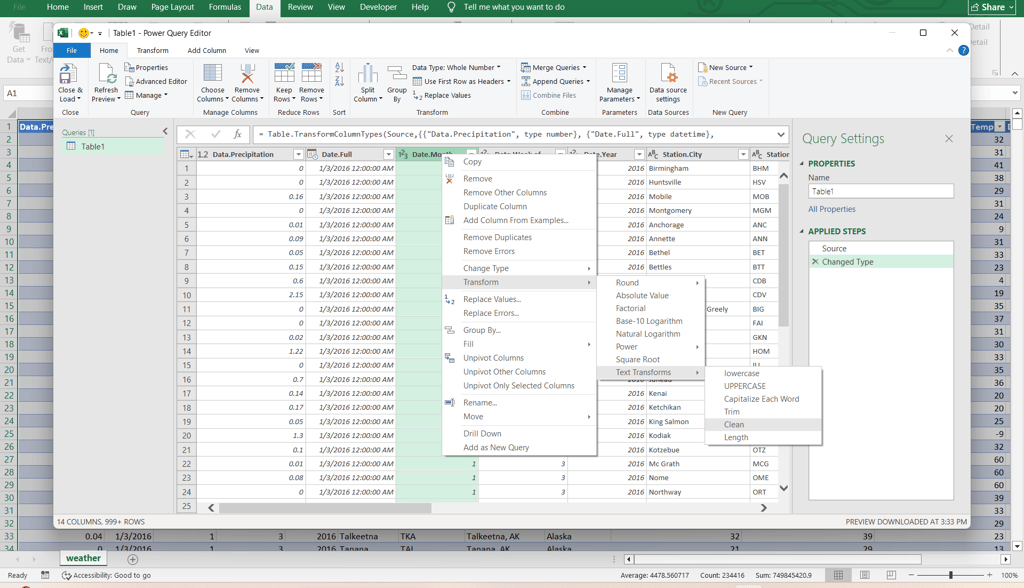
While "Trim" removes spaces, "Clean" removes non-printable characters (like line breaks or system symbols) that often hide in accounting exports.
Right-click the column header.
Select Transform > Clean.
Step 4: Replacing the "Unbreakable" Space
Sometimes, a system uses a specific character called Non-Breaking Space (Char 160). Neither Trim nor Clean can remove this. Here is the pro move:
Right-click the column and select Replace Values.
In "Value to Find," hold Alt and type 0160 on your number pad (or simply copy-paste a "space" from the broken cell in your preview).
Leave "Replace With" empty.
Click OK.
Why This is Better Than Excel Formulas
If you used the =TRIM() function in Excel, you would have to create a "helper column," drag the formula down, and then "Paste as Values."
With Power Query:
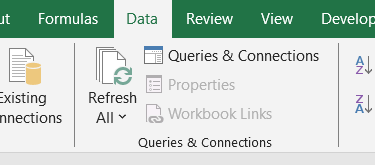
It’s Automated: Next month, when you export the new report, you just click Data > Refresh All. The Lab cleans the data for you automatically.
No Helper Columns: Your worksheet stays clean and professional.
Multi-Column Action: You can select 10 columns at once and apply the "Trim" and "Clean" commands to all of them in two clicks.
Final Lab Report
Data cleaning is the least glamorous part of an analyst's job, but it is the most important. By using Power Query to solve the "Invisible Space Problem," you ensure that your Smart Sheet Lab templates remain accurate, fast, and "Bulletproof."
Product
© 2026. All rights reserved.